The short version, with numbers
There is exactly one safe way to get the SportyBet app on Android, and it is not the Play Store. Here is the whole picture before we go step by step — figures verified July 2026 against SportyBet’s official channels and the current app-store listings.
| Question | Answer (as at July 2026) |
|---|---|
| Official Android download | The APK from sportybet.com/ng — the download link sits on the official site itself |
| Is SportyBet on Google Play? | No — Nigerian guides consistently report it is not listed, and SportyBet’s own download route is the APK |
| Android APK size | Roughly 17–20 MB per the 2026 guides that track it — a small download even on stretched data |
| Android requirement | Android 7.0 or above |
| iPhone download | App Store — “SportyBet: Sports Betting” by Sporty Internet Group |
| iOS app size | 223.3 MB, requires iOS 15.0 or later |
| App Store rating | 4.5 out of 5 from about 94,000 ratings |
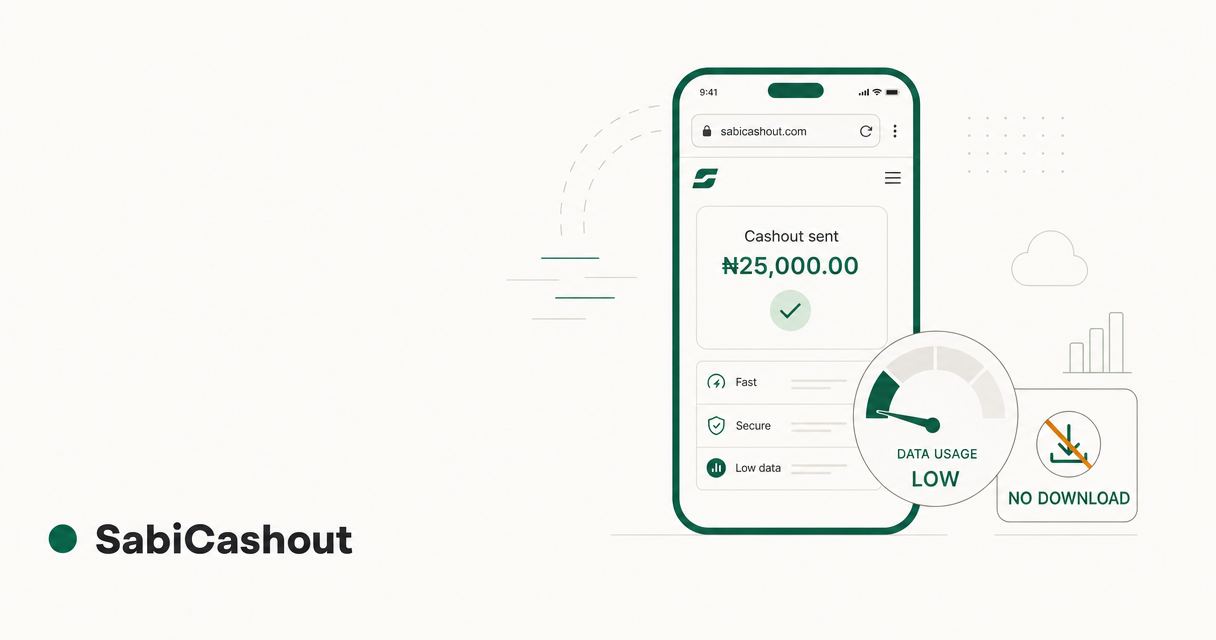
| No storage or low data? | The old mobile site at sportybet.com/ng runs in your browser — nothing to download at all |
If your app is already installed and the problem is money — a deposit that never credited or a withdrawal that is sitting in pending — you do not need this page. Go straight to the SportyBet deposit guide or the SportyBet withdrawal guide, or run your case through the payout diagnostic tool. Everyone else, start here and get the app on your phone the right way the first time.
Where the official SportyBet app actually lives
This matters more for SportyBet than for most apps on your phone, because the usual instinct — “just search the app store” — is exactly the wrong move on Android.
On Android, the official SportyBet app is distributed as an APK file directly from sportybet.com/ng. You will not find the official Nigerian app by searching Google Play: Nigerian app guides consistently report that SportyBet is not listed on the Play Store for Nigeria, and SportyBet’s own site points Android users to its APK download rather than to any Play listing. That absence has a nasty side effect we will deal with properly later: the search results and app-store lookalikes that fill the gap are exactly where tampered APKs live.
On iPhone, it is the opposite arrangement. The official app — “SportyBet: Sports Betting”, published by Sporty Internet Group — is live on the Apple App Store for Nigeria, and the App Store is the only place you should get it. Ignore older guides still claiming SportyBet has no iOS app; that was true years ago and is simply out of date. The listing is active, updated frequently, and carries a 4.5 rating from roughly 94,000 users.
In your browser, there is a third door that too many punters forget exists: the SportyBet mobile site, including the old mobile experience that loads properly on weak network. No download, no storage, no version to keep updated. We compare it honestly against the app further down, because for a lot of players — especially anyone on a low-end phone or rationing data — the browser is genuinely the better answer.
One practical note before the steps: sportybet.com/ng serves Nigerian traffic. If you browse through a foreign VPN, the site can land you on a blocked or blank page instead of the download — we hit exactly that testing from a foreign connection. Turn the VPN off and use your normal Nigerian network before you start.
SportyBet app download on Android, step by step
You need about 20 MB of data for the download itself, a phone running Android 7.0 or above, and two minutes. Here is the clean path.
- Open your browser and type sportybet.com/ng directly. Type it — do not tap a link from a search ad, a Telegram group, or a forwarded WhatsApp message. The address bar is your first security check: the domain must read sportybet.com and nothing else.
- Find the app download link on the site. SportyBet promotes its Android app on the mobile homepage — look for the app banner or the mobile apps section. Tap the download button and the APK starts coming down.
- Let the APK finish downloading completely. The file is small — third-party guides through 2026 put it at roughly 17–20 MB — so even on struggling network it should not take long. A half-downloaded APK is the most common cause of the “there was a problem parsing the package” error, so if your connection dropped mid-way, delete the file and download again rather than trying your luck.
- Allow your browser to install unknown apps. Because the app is not coming from the Play Store, Android will ask permission. On most phones: Settings → Apps → Special app access → Install unknown apps → choose your browser (Chrome, for most people) → allow from this source. On some Samsung and Tecno builds the path reads Settings → Security and privacy → Install unknown apps. Android will usually surface the right screen automatically the moment you open the APK — read the prompt and follow it.
- Open the downloaded APK and tap Install. It is in your notifications or your Downloads folder. Installation takes seconds on most phones.
- Optional but sensible: switch the unknown-sources permission back off. You needed it for one install, not as a permanent setting. Turning it off costs you nothing and closes a door that malicious downloads love.
- Open the app and log in with your usual phone number and password. Your account, balance, and bet history are the same across app, site, and lite site — nothing to transfer, nothing to re-register.
That is the whole process. If any step misbehaved — download will not start, APK will not install, app installed but keeps crashing — the fixes section below walks through every common failure.
One habit that will save you later
The APK route has a quirk the Play Store route does not: the app will not always update itself automatically. When SportyBet ships a new version and eventually retires the old one, Play Store users of other apps get silent updates — you may instead get an in-app prompt, or one day a “please update to continue” wall. When that happens, the fix is the same trip you just made: back to sportybet.com/ng, download the current APK, install it over the old one. Your login and balance survive the update. Bookmark the site now and the future update takes two minutes instead of a panicked search that ends on some “SportyBet latest version” APK farm.
SportyBet app for iPhone: the App Store install
The iOS side is refreshingly boring, which is how installs should be.
- Open the App Store and search “SportyBet”. The official app is SportyBet: Sports Betting, and the publisher name to verify is Sporty Internet Group. Checking the publisher takes two seconds and filters out any copycat.
- Check the specs before you tap Get. The app is 223.3 MB as at July 2026 and needs iOS 15.0 or later. It is free, rated 18+, and carries a 4.5 rating from around 94,000 reviews. If your iPhone is older and stuck below iOS 15, the app will not install — use the mobile site instead, which works fine in Safari.
- Download over Wi-Fi if data is tight. At 223 MB, this is not an APK-sized download. That single figure — 223 MB versus roughly 17–20 MB on Android — tells you Apple and Android users are getting very different packaging of the same product.
- Open, log in, done. Updates arrive through the App Store like every other iOS app — no manual re-downloading, ever. SportyBet ships iOS updates frequently; letting automatic updates handle it is the correct choice.
Is SportyBet on Google Play? The straight answer
No — searching Google Play from Nigeria does not get you the official SportyBet Nigeria app, and every credible Nigerian install guide this year says the same thing. SportyBet’s own download flow sends Android users to the APK on its website.
The reason this deserves its own section is what fills the vacuum. Search “SportyBet app” and you will meet a swarm of third-party download portals, some dressed up to look like Google Play listing pages, offering “SportyBet APK latest version”. Some are harmless guide sites. Some are not. You cannot reliably tell which is which from the outside, and you do not need to gamble on it — the official APK is free, small, and one typed URL away. If a listing calling itself SportyBet ever does appear in your Play Store search, apply the same rule: the only Android source SportyBet itself points to is sportybet.com/ng, so that is the only source you use.
App or old mobile site? An honest comparison
Here is the part most download guides skip, because they exist to push the download. The truth: plenty of sharp punters never install the app at all, and they are not missing much. The old mobile site — the lightweight version of sportybet.com/ng that Nigerians have been betting through since before the app existed — remains the best friend of anyone on a low-end phone, an old Android version, or an expiring data bundle.
| SportyBet app (Android) | Old mobile / lite site | |
|---|---|---|
| Storage needed | ~17–20 MB download, plus cache that grows with use | None — runs in your browser |
| Data appetite | Heavier, especially with live match visuals | Built for low data; pages are stripped to essentials |
| Works on Android below 7? | No | Yes — any phone with a browser |
| Speed on bad network | Struggles when signal drops | Its whole reason for existing — loads when the app will not |
| Login sessions | Stays logged in longer | Shorter sessions; expect to log in more often |
| Updates | Manual APK re-download when versions retire | Never — the site is always current |
| Odds, markets, deposits, withdrawals | Full | Same account, same odds, same money functions |
The practical reading: if you have a capable phone and decent data, the app is smoother and stays logged in. If you are on a Hot 8 with 200 MB left before month end, the lite site does everything that matters — including funding your account and withdrawing — without eating a byte of storage. And when the app misbehaves on a Champions League night, the lite site is your fallback that needs no download, no update, and no wahala. Many players run both: app at home on Wi-Fi, lite site when out on mobile data.
For the same comparison across Bet9ja, BetKing, and the other books — which old versions still exist and which save the most data — the apps and old mobile hub covers each one.
When the SportyBet app will not install, update, or behave
Every install problem we see lands in one of five buckets. Work down the list — they are ordered by how often each one turns out to be the culprit.
1. “App not installed” or “There was a problem parsing the package”
The APK on your phone is incomplete or corrupted, nine times out of ten because the download got interrupted.
Fix: Delete the downloaded file, go back to sportybet.com/ng, and download it fresh — ideally on steadier network or Wi-Fi. Before reinstalling, also check you have free storage; Android needs working room beyond the APK’s own size, and a phone running on fumes will fail installs with unhelpful error messages. If a very old SportyBet install is already on the phone and the new one refuses to go over it, uninstall the old app first (your account lives on SportyBet’s servers, not in the app — you lose nothing), then install clean.
2. Android blocks the install entirely
You tapped the APK and nothing happens, or Android flat refuses with a security message.
Fix: You have not granted your browser the install-unknown-apps permission — go back to step 4 of the install guide above. If the permission is set and it still refuses, check your Android version: the app needs Android 7.0 or above, and a 2015-era phone below that line simply cannot run it. That is not a defect and no APK from any website will change it — use the old mobile site, which runs beautifully on exactly those phones.
3. The app demands an update and locks you out
You open the app on a Saturday morning to build your acca and meet a “your version is too old” wall.
Fix: This is the manual-update quirk of APK distribution doing its thing. Go to sportybet.com/ng in your browser, download the current APK, and install it directly over the existing app — settings, login, and balance all survive. Two minutes, then you are back. What you must not do is panic-search “SportyBet old version APK” or “SportyBet update download” and take whatever a random site hands you; version walls are precisely the moment fake-APK sites are fishing for.
4. The app installs but crashes or freezes
Genuine issue, and not always your phone’s fault — recent App Store reviews mention freezing during navigation, so the app has its moods on iOS too.
Fix, in order: Close the app fully and reopen. Clear the app’s cache (Settings → Apps → SportyBet → Storage → Clear cache — this does not touch your account). Check for a newer version, since crash fixes ship in updates. Free up storage and RAM if the phone is loaded. If none of that settles it, uninstall and reinstall from the official source. And if the crash always hits at the same moment — say, opening live betting on stadium-level bad network — try the same action on the lite site; if the site works, the problem is app-side and worth reporting to support rather than fighting.
5. The download itself will not start
You are on the site, you tap download, nothing comes.
Fix: If you are on a VPN, turn it off — the site serves Nigeria, and foreign exit nodes can land you on a blocked page. Try a different browser. Check that your browser has storage permission and your Downloads folder is not full. Still nothing? Network wahala happens; the lite site will hold you over until it passes.
Download from the official source only. This is not negotiable.
We keep this same rule on every access guide we publish, including our 1xBet login guide, because the failure mode is identical across every book: an APK is just a file, and anyone can edit a file.
A tampered SportyBet APK looks exactly like the real one. Same logo, same green, same login screen. The difference is what happens to the phone number and password you type into it — they go to whoever repackaged it, and that person now logs into the real SportyBet as you, with your balance and your linked accounts waiting. There is no antivirus prompt, no dramatic warning moment. The app can even work normally afterwards, because the cleanest scams keep the victim comfortable.
The channels these files travel through are always the same:
- APK archive and “latest version” sites ranking for searches like “sportybet apk download”. Some are legitimate mirrors of guide content; some serve modified files. You cannot audit them, so you do not use them.
- Fake download portals dressed as official pages — some even style themselves like Google Play listing pages for SportyBet. A Play-Store-looking page that is not on play.google.com is a costume, and you should treat it as hostile.
- Forwarded APKs in WhatsApp and Telegram groups, usually framed as a favour: “latest version, the site is slow, just install this one.” The sender may even believe it. Never install a betting app from a forwarded file — not from your group, not from your padi, not from anyone.
- “Old version” APKs for people dodging a forced update. You are downloading an unpatched app from an unaccountable stranger to access your own money. No.
The rule that makes all of this simple: Android APK from sportybet.com/ng, typed into the address bar yourself. iPhone app from the App Store, publisher Sporty Internet Group. Nothing else, ever. If you have already installed from a third-party source and you are now feeling cold about it, act rather than hope: uninstall it, change your SportyBet password immediately from the official site, check your transaction history for anything you did not do, and reinstall clean from the official page.
Using the app for the money side: deposits and withdrawals
Once the app is in and you are logged in, the two money functions live in the wallet area, next to your balance. The quick version of each — with the full playbooks one link away.
Funding your account: Tap Deposit and pick your method — OPay, PalmPay, bank transfer, card, or USSD. Minimum deposit is ₦100 as at July 2026 and SportyBet adds no deposit fee. Wallets are the fast lane: OPay credits typically land in under a minute, any hour of the day. One trap to respect: if you choose bank transfer, the temporary account number SportyBet generates expires after 30 minutes, so send promptly. Full walkthrough of every method, plus the fix when money leaves your bank but the balance does not move, in the SportyBet deposit guide.
Cashing out: Tap Withdraw, choose bank or wallet, and confirm the account name that shows on screen — it must match your SportyBet registered name exactly, and that single check prevents the most common stuck-withdrawal cause in Nigeria. Minimum withdrawal is ₦500, SportyBet charges no fee, bank transfers usually land in 5–30 minutes during banking hours, and OPay or PalmPay typically pay in under 5 minutes, 24/7 — all as at July 2026. The complete picture — limits, timelines, and the escalation ladder when a payout hangs — is in the SportyBet withdrawal guide.
If a payment is already misbehaving right now and you are not sure which fix applies, the payout diagnostic tool asks the same questions a good support agent would and points you to the right answer in under a minute.
18+. Bet responsibly. If betting has stopped being fun, our get-help resources list free, confidential support lines in Nigeria.